Safe image search
One search, nine sources, and Safe Search that cannot be switched off.
What it is
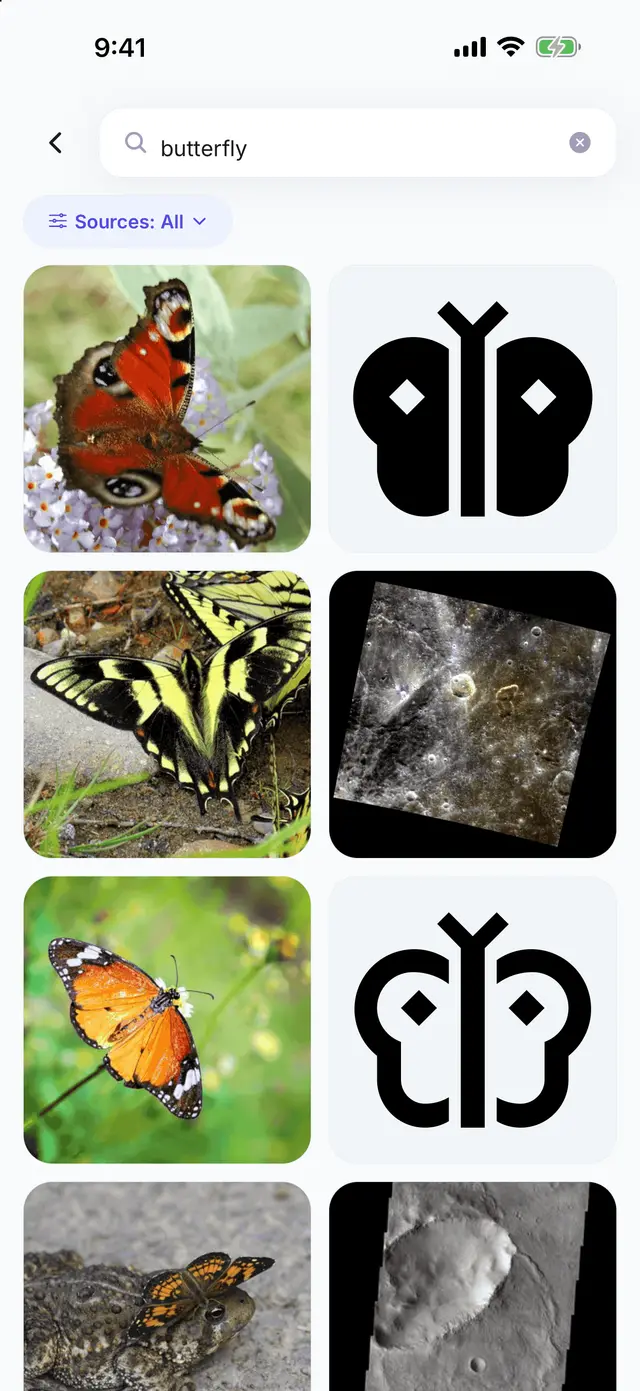
Type what you want to draw and the app asks several image sources at once, then lays what they send back into one list. Photographs, museum pieces and plain outlines arrive together, so you can pick the version that suits how you want to draw it.
Safe Search is always on. It is enforced on every source that offers it — Pixabay, Openverse, Unsplash and Google Images — and the rest are curated collections, museum, nature and space archives, an icon set and a moderated stock library, chosen because their catalogues are suitable to begin with. It is not a setting, there is no switch for it anywhere in the app, and it does not change with the age of the account. Words we will not search for are turned away before any source is asked, and that filter applies to all of them alike.
The search itself is asked from our server, not the phone: the server asks the sources and the keys for them never leave it. The pictures are then loaded by the phone straight from the source, the same way any website’s images are. The data use policy sets out the whole path.
How it works
- Type what you want to draw, or tap one of the suggestions on the home screen.
- Look through the results. The Sources pill under the search bar says which sources are being asked; open it to add or remove them, or to go back to the app default.
- Open a picture to see where it came from and what licence it carries, then save it, draw it or trace it.
The nine sources
- Pixabay — free photos, illustrations and vectors.
- Pexels — high quality free stock photography.
- Openverse — openly licensed images from across the web.
- Unsplash — photographer-submitted photos, shown straight from Unsplash.
- Icons and line art — simple outlines and symbols, the easiest shapes to trace.
- Smithsonian — museum artwork and specimens released to the public domain.
- iNaturalist — real photos of animals and plants taken by nature watchers.
- NASA — space photography from NASA missions.
- Google Images — wider web image search, with safe search on.
Tips
- Narrow the sources when you know what you want. Icons and line art alone gives you shapes to trace; the photography sources give you something to copy by eye.
- The preview screen warns you when a picture is too small to trace well. Pick a bigger one.
- Every result keeps its source and its licence, and the preview links back to the original. The pictures belong to the people who made them.
Where to next
- My Images, where the pictures you keep are stored.
- Draw Mode and Trace Mode, the two ways to draw what you found.
Start drawing
Search, save, draw and trace are free. Get the app and find the first thing you want to draw.
Get the app